
.png?width=1440&height=622&name=Accounting%20Service%20Menu%20Image%20(1).png)
.png?width=1440&height=622&name=Tech%20Service%20Menu%20Image%20(1).png)
.png?width=1440&height=622&name=Financial%20Serivce%20Menu%20Image%20(1).png)
.png?width=1440&height=622&name=M%26A%20Service%20Menu%20Image%20(1).png)
.png?width=1440&height=622&name=Talent%20Service%20Menu%20Image%20(1).png)
%20(1).jpg?width=264&height=160&name=Website%20Featured%20Content%20Images%20(2)%20(1).jpg)
%20(1).jpg?width=264&height=160&name=Website%20Featured%20Content%20Images%20(4)%20(1).jpg)
-Mar-08-2024-08-50-35-9527-PM.png?width=300&height=175&name=Untitled%20design%20(1)-Mar-08-2024-08-50-35-9527-PM.png)

%20(1)-1.jpg?width=264&height=160&name=Website%20Featured%20Content%20Images%20(2)%20(1)-1.jpg)
-1.jpg?width=264&height=160&name=Website%20Featured%20Content%20Images%20(1)-1.jpg)
%20(1).jpg?width=264&height=160&name=Website%20Featured%20Content%20Images%20(3)%20(1).jpg)


.jpg)

.webp)
If you own a business, there's a good chance your employees are already using AI at work. You may not know which tools they're using, or what they're typing into them.
That's usually the first thing we point out when a business owner asks which AI tool to buy to support their employees’ personal productivity. I’ve heard people say some version of, "My employees are using whatever. I don't know if it's on a free account or not."
So before you start comparing ChatGPT to Copilot, it helps to step back. Choosing the right AI tool comes down to a handful of questions:
- Does your team understand what AI is actually good at?
- Is your business data protected?
- Where are you in your AI journey?
- Who's going to own it?
Start With What AI Is (& What It Isn't)
It sounds basic, but every good AI decision starts here. Generative AI tools like ChatGPT are, at their core, prediction engines. They've learned from an enormous amount of the world's data, and they produce the most probable answer to whatever you ask. They're very good at that. But probable isn't the same as right, and AI can be wrong.
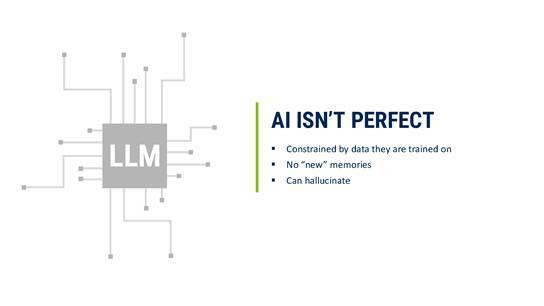
That one fact should shape how your business uses it. Think of AI as a sharp, fast new hire who’s great at a first draft, but you still review the work before it goes to a client. Ask it to summarize a 40-page vendor contract, and it will do it in seconds, and probably well. But if that summary is driving a decision, someone still reads the clauses that matter.
|
Where AI shines |
Where you still need people |
|
Drafting emails, proposals, and first versions of documents |
Final judgment on what goes out the door |
|
Summarizing long documents, meetings, and research |
Checking facts, figures, and sources |
|
Brainstorming ideas, outlines, and marketing content |
Decisions that depend on knowing your clients |
|
Pulling key details out of large files |
Anything where a wrong answer is costly |
In other words, AI is work you have to manage, just like any other work that gets done in your business.
Get Your Team Off Free Accounts
AI has been adopted faster than any technology we've seen. ChatGPT alone has nearly a billion weekly users, and plenty of them are employees using personal, free accounts to get their work done faster. The intention is good, and the risk is real.
You wouldn't let someone keep client files in their personal Gmail or run your customer list through a personal Dropbox. AI shouldn't be treated any differently. When a product is free, there's a reason. AI companies lose money on every free user, and what people type into those free tools helps those companies build better products.
Picture an estimator pasting a client's bid documents into a personal ChatGPT account to speed up a proposal. The proposal gets done on time. But your client's information now sits in an account you don't control, under privacy settings you've never seen, and it walks out the door with that employee if they leave.
A business account changes that picture. Business and enterprise plans from the major providers give you admin controls, stronger privacy protections (typically including a commitment not to train their models on your data), and the ability to manage who has access and shut it off when someone exits.
Which platform should you choose?
Once you’ve committed to a business account, the next question is which one. Nobody can say who’s going to win this race, or whether there will even be a single winner. The major platforms, ChatGPT, Microsoft Copilot, Google Gemini, and Claude, are all capable. As long as you’re on a business account and it’s set up securely, you can’t go wrong with any of them.
That takes the pressure off finding the "perfect" tool. In practice, the best tiebreaker is usually where your team's work already lives:
|
If your team... |
Consider starting with... |
Why |
|
Lives in Outlook, Teams, Word, and Excel |
Microsoft Copilot |
Works inside the Microsoft 365 apps and files you already use |
|
Runs on Gmail, Google Docs, and Drive |
Google Gemini |
Built into Google Workspace |
|
Needs a flexible, all-purpose assistant for writing and research |
ChatGPT |
Versatile, widely used, with a large ecosystem of add-ons |
|
Works with long documents, detailed analysis, and careful writing |
Claude |
Strong at reviewing long documents and in-depth reasoning |
What will implementing AI cost?
Pricing generally falls into two models:
- Per-user business plans typically run around $30 per user per month. They're a solid starting point, but they come with limited functionality and room to scale.
- Usage-based enterprise plans charge for what you actually use. These average around $50 per user per month, but a power user who leans on AI all day can reach $500 a month, and a software developer could run $2,000.
The point is to go in with your eyes open. Most businesses are still in the experimental phase of figuring out where AI makes them more productive, and cost is best measured against that productivity.
Don't Overlook the AI Already in Your Software
There's a second category of AI tools many business owners already pay for without thinking about it: the AI features built into the software they use every day. Canva can generate designs from a prompt. Your accounting system, CRM, and industry-specific software likely use AI features too.
Take advantage of those as much as you can. Just don't mistake them for a full strategy. You’ll probably still need one of the major chat platforms as well.
The tools are improving quickly, and costs keep shifting, so it pays to diversify your risk. Experiment with both the AI built into your specialized software and a core platform the whole team works in.
Where are you on the AI journey?
The answers tend to place a business in one of three stages, and each one builds on the last.
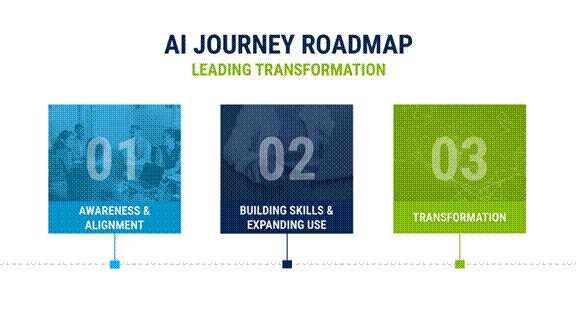
1. Awareness & Alignment
Getting the right tool into your team's hands so they can do the work they already do, faster: drafting emails, summarizing meetings, outlining a proposal, researching a new market. This is where most businesses start, and where they should.
2. Building Skills & Expanding Use
This is the moment a business realizes, "AI is making us a lot more productive. We want to connect it to our data." Teams start changing the way they work. For example, a construction company might want AI to pull the key details out of an RFP so it can bid on the job, then feed that information directly into its construction software.
3. Transformation
AI moves from helping individuals and teams work faster to reshaping how work flows through the business itself.
Complexity ratchets up quickly as you move from one stage to the next. Once you start connecting AI to your data, security and data governance become bigger concerns, and you need to make sure data gets in and out the right way.
That's why the urge to connect AI to everything or build something custom right away deserves a pause. Get the fundamentals in place first.
Get the Basics in Place Before You Build
Before connecting AI to your systems, put these four fundamentals in place:
- An AI use policy reviewed by your legal counsel - It should spell out which tools are approved, what information can and can't go into them, and how AI-generated work gets reviewed.
- One platform that fits your team - Choose a secure business account your people work in, rather than a patchwork of personal tools.
- Training - Most of AI's value comes from people learning to use it well. A team that knows how to ask good questions and check the answers will get far more out of the same tool.
- A definition of success - Decide up front how you'll know AI is working. Tie it to a goal you already care about:
|
Goal |
Start With… |
Measure |
|
Give employees time back |
Meeting summaries, email drafting, research help |
Hours saved per week |
|
Reduce administrative work |
Note-taking, document drafting, routine workflows |
Time to complete recurring tasks |
|
Win more work |
Pulling requirements from RFPs, drafting proposals |
Proposals submitted, turnaround time |
|
Make faster, better-informed decisions |
Data analysis and reporting |
Time from question to answer |
|
Find information faster |
Searching company documents, answering internal questions |
Time spent hunting for files and answers |
Who should own AI in your business?
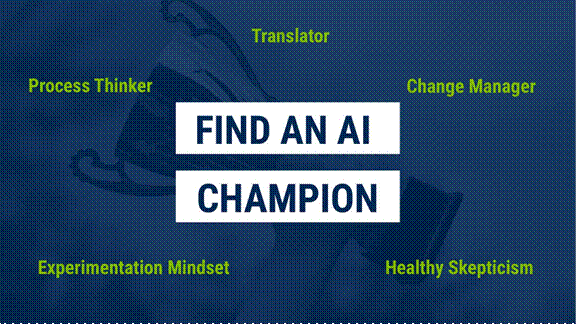
Successful AI adoption needs buy-in from the top. But for small and mid-sized businesses, the CEO shouldn’t be the one running the project. The CEO's job is to make clear this is important, then find the right person to lead it. That person should be interested, curious, and organized enough to put a plan in place.
That person is your AI champion. They don't need to be the most technical person in the building. Often it's the operations manager who has already been experimenting with ChatGPT on their own, or the controller who's always hunting for a faster way to close the books.
The best champions share five traits. They’re translators who can explain AI in terms of the business. They're a process thinker who sees where work gets stuck, and a change manager who can bring the team along. They have an experimentation mindset, and they bring healthy skepticism, so they test what AI produces instead of taking it at face value.
Ready to put AI to work?
AI is moving faster than any technology most business owners have ever dealt with, and you don't have to figure it out alone. Our technology services help businesses through every step above, from choosing the right platform to rolling it out securely and training your team to get real value from it. Contact us to talk about where your business is today and where AI can make the biggest difference.

- Strategic, Individualization, Futuristic, Ideation, Arranger
Ryan Wade
Ryan Wade, Tech Director, began his career in 2003. With a well-rounded background spanning finance, marketing, and technology, he brings a strategic mindset and a deep understanding of how to align modern solutions with real business needs. His experience across industries allows him to connect the dots and deliver practical, value-driven outcomes for clients.
Bringing a unique blend of technology expertise and business experience, Ryan works alongside clients and internal teams to identify and implement solutions that streamline operations and support long-term growth. His responsibilities include guiding software selection, modernizing outdated systems, implementing automation, and enhancing reporting capabilities.
At Lutz, Ryan leads the ongoing development and support of ThreadWorks, the firm’s secure, centralized document management platform that streamlines document exchange and improves the overall client experience. He also serves on the firm’s Tax and Audit Policy Committees, contributing to innovation efforts that improve service delivery across divisions. His ability to think strategically and bring structure to evolving initiatives continues to drive progress across the firm.
Ryan lives in Omaha, NE, with his wife, Tiffany, and children, Ethan and Veronica. Outside the office, you can find him playing guitar, golfing, working out, and being a loyal Jaysker.
Recent News & Insights
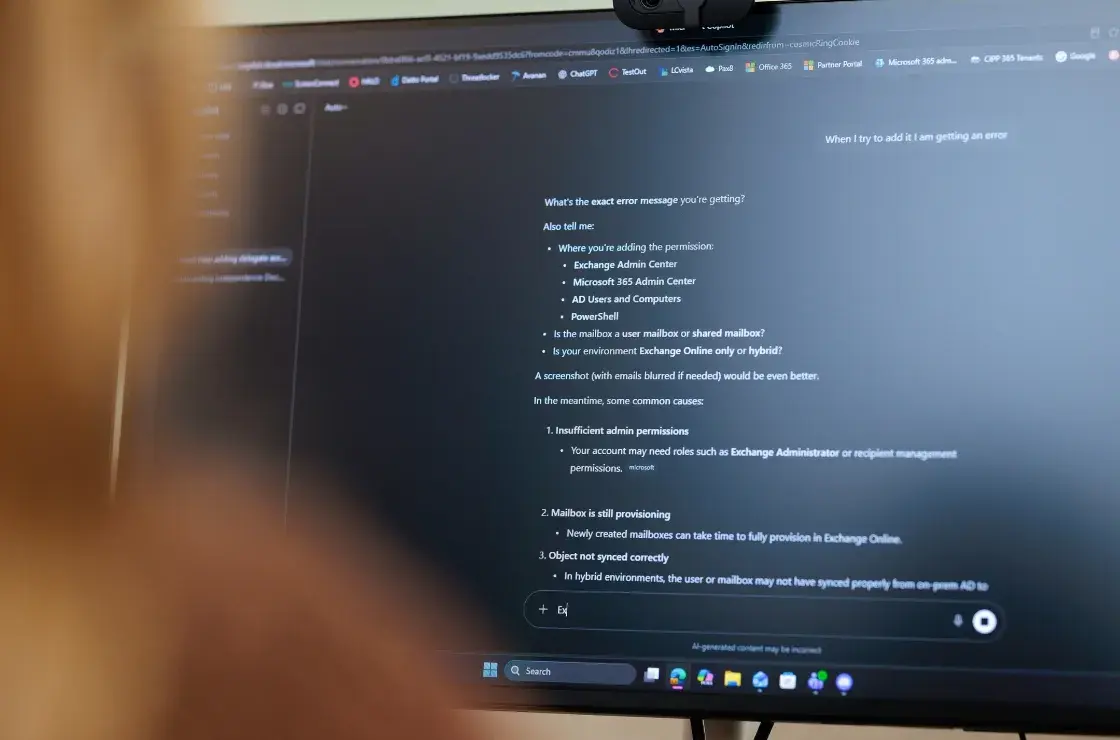
How does my business pick which AI tools to use?

Lutz Talent adds Jordan Berg as Construction Recruiter

Microsoft 365 Series: Get More Done with Microsoft Planner

2027 Tax & Workforce Compliance Changes for Nebraska & Iowa Businesses